Automating a Bottleneck: How We Built a Custom Photo Approval Workflow & Publishing Engine with Frame.io’s API
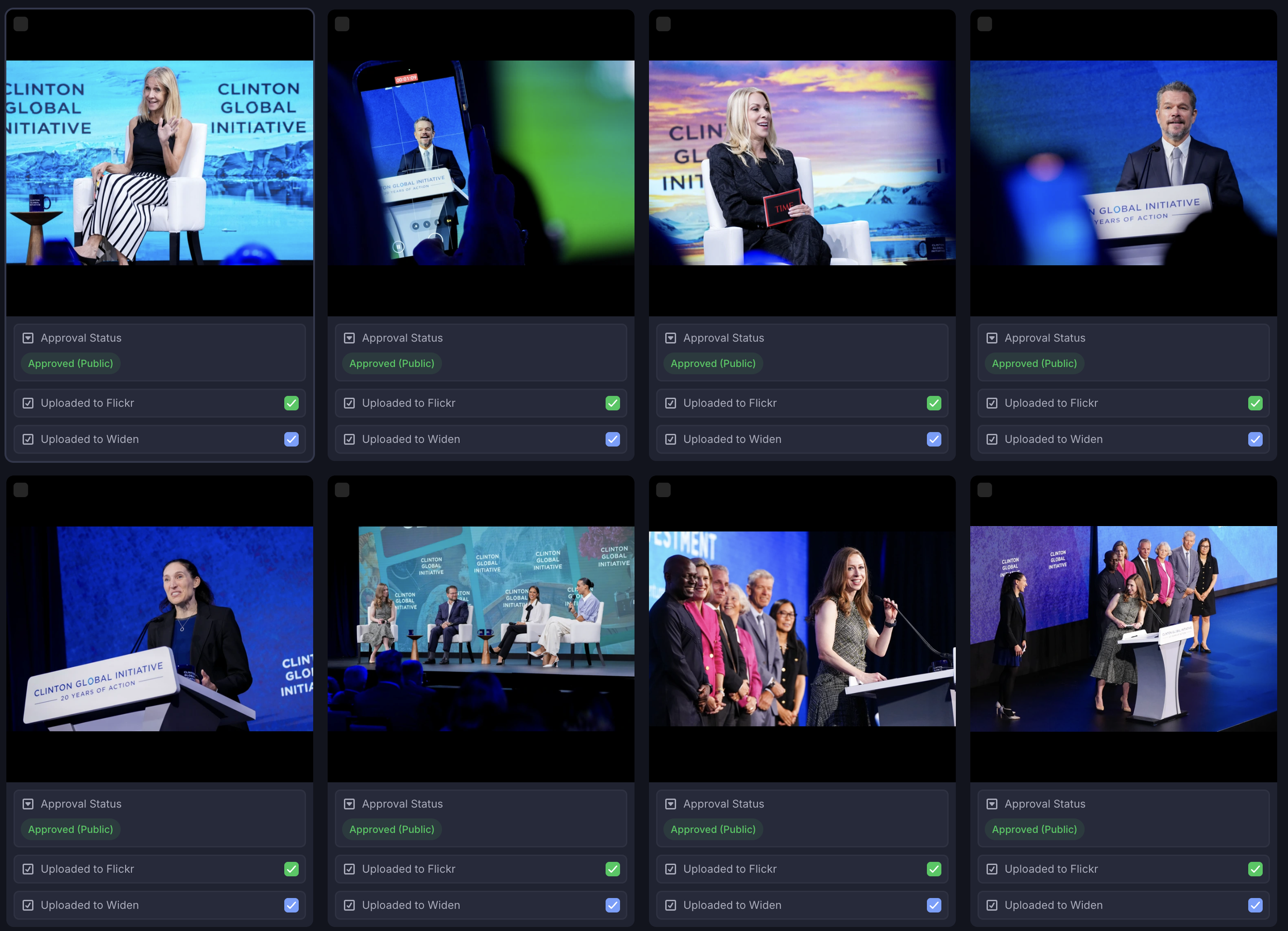
An inside look at our Frame.io backend showing publishing and approval statuses.
The hardest part of event photography for us isn't taking the picture—it's getting the right picture approved and uploaded to the right place without creating a bottleneck or making mistakes.
We realized that traditional gallery tools weren't fast enough for our "Real-Time" requirement. We needed a system where we could trigger a publish action directly from the review tool. So, we connected Frame.io to n8n (a workflow automation tool) to build a custom engine.
The Architecture
The Trigger: metadata.value.updated We don't drag files into a "Shipped" folder. We simply change a custom metadata field in Frame.io called "Publish" to "Publish Now."
The Traffic Controller (Cloudflare Workers) To prevent duplicate asset publishing, we wrote a custom Cloudflare Worker that acts as a locking mechanism. It queues requests to ensure we don't accidentally upload duplicates or crash the API limits.
The Router (n8n) Our n8n workflow pings Airtable to figure out where the photo should go. Is it public? Send it to Flickr. Is it archive only? Send it to the DAM. Both? Send to both!
The "Skip" Logic We even built intelligence into the system. If a file has already been uploaded to the DAM, but we later decide to push it to Flickr, the system checks the "Already Uploaded" flags. It skips the redundant DAM upload and only sends it to Flickr, saving bandwidth and processing time.
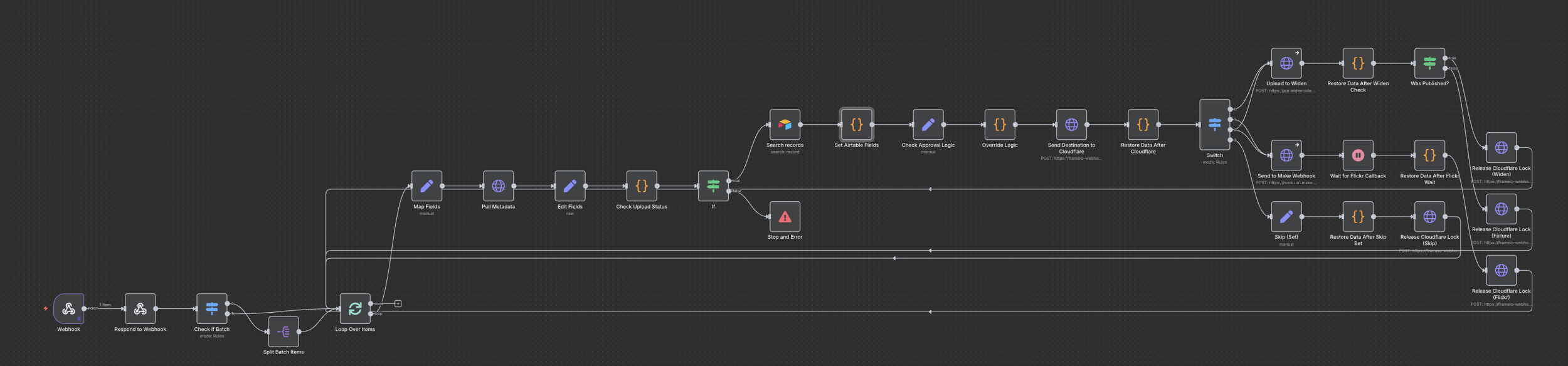
A look at the N8N publishing workflow.